

VPN review
FastestVPN review
FastestVPN covers 10 simultaneous connections with desktop/mobile apps and manual Linux/router setups. Windows and Android have split tunneling; dedicated IP costs extra.
By VPNTrends · Updated 2026-10-21
Our assessment
FastestVPN at a glance
FastestVPN covers 10 simultaneous connections with desktop/mobile apps and manual Linux/router setups. Windows and Android have split tunneling; dedicated IP costs extra.
Key capabilities
FastestVPN covers 10 simultaneous connections with desktop/mobile apps and manual Linux/router setups. Windows and Android have split tunneling; dedicated IP costs extra.
Limitations to check
Observed web plan cards: USD5 for 1 month and USD19.95 for 24 months. Other official FAQ/terms and static form values conflict; verify the selected order. Renewal is unverified. A separate USD40 lifetime offer is advertised but is not assigned a fictitious month count or used in recurring-price sorting. Dedicated IP, port forwarding and extra logins can cost more.
See platform support ↓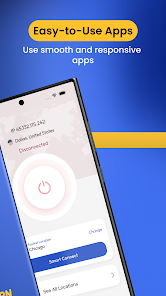
FastestVPN protection controls by platform
FastestVPN’s Windows application documents an Internet Kill Switch that blocks ordinary connectivity after a tunnel disruption. Its macOS and iOS guides describe protection enabled by default, while Android documentation specifies a minimum operating-system version. These are relevant details when deciding which devices to keep connected, rather than assuming one identical control exists everywhere.
Linux is supported through manual connection methods, and its kill-switch behaviour is not verified in this review. Documentation describes what the provider supplies; it does not establish the outcome of our own leak or disconnection tests. Account security, browser settings and the websites you sign into remain separate from the VPN connection.
Ten connections and manual Linux configuration
The base FastestVPN allowance covers 10 simultaneous connections. Optional extra logins are sold separately, so the displayed subscription price should not be read as including every possible device expansion. Count devices that maintain background connections as well as the laptop or phone you actively use.
Windows, macOS, iOS and Android have native applications. The reviewed Linux instructions use OpenVPN on the command line and manual WireGuard configuration. That is a different experience from installing a graphical Linux application. Compatible router firmware can also use supported configurations, but a general router-support label is not evidence that a stock internet-provider router can run it.
Split tunneling is different from Smart Tunneling
Windows and Android have documented app-based split tunneling. This can help when one application needs the ordinary connection while others remain routed through the VPN, or when you deliberately select the applications that should use the tunnel. Traffic excluded from the tunnel does not receive the VPN’s protection.
The iOS feature called Smart Tunneling instead automatically connects the VPN when selected domains are visited. That is not the same as excluding arbitrary applications from an active tunnel. A dedicated IP is another separate decision: it is sold as an optional extra, and should only be added if an exclusive address solves a specific requirement.
Recurring plans, conflicting pages and lifetime offers
The reviewed purchase page has exact plan cards for a monthly subscription and a two-year term described as one year plus one free year. Other official FAQ, terms and static payment-form text show conflicting amounts or durations. The comparison therefore identifies the observed first-term cards and leaves later renewal amounts unverified.
Before purchasing, select the intended plan and check the final order total, billing period and renewal wording together. A separate lifetime offer is advertised, but it is not a monthly subscription and is not assigned an invented number of months here. Dedicated IP, port forwarding and extra logins can add charges beyond the base package.
Who should shortlist FastestVPN?
FastestVPN is a possible shortlist option for users who want a modest upfront subscription commitment, an allowance of 10 active devices and documented split-tunneling controls on Windows or Android. Its manual Linux and router methods may also be relevant to someone comfortable managing connection profiles.
Look more closely at alternatives if you require a verified Linux kill switch, uniform native routing controls or fully resolved renewal terms before choosing a provider. The service name is not a speed measurement. This review does not claim streaming-unblocking success, latency figures or download results, and its provider-supplied images should not be mistaken for screenshots from our own paid-account tests.
Plans, first payment and renewal
Introductory offers and renewals are different billing periods. Compare the actual charge and included months, not only an advertised monthly equivalent.
| Plan | First payment | Monthly equivalent | Renewal |
|---|---|---|---|
| VPN subscription — monthly | USD 5.00First 1 months | USD 5.00Introductory equivalent | Not verifiedPeriod not verified |
| VPN subscription — 1 year + 1 year free | USD 19.95First 24 months | USD 0.83Introductory equivalent | Not verifiedPeriod not verified |
Observed web plan cards: USD5 for 1 month and USD19.95 for 24 months. Other official FAQ/terms and static form values conflict; verify the selected order. Renewal is unverified. A separate USD40 lifetime offer is advertised but is not assigned a fictitious month count or used in recurring-price sorting. Dedicated IP, port forwarding and extra logins can cost more.
Features and platform support
Support can differ between apps and operating systems. Platform coverage and limitations are shown below.
- Windows
Official native app listed.
- macOS
Official native app listed.
- Linux
Linux is supported through manual OpenVPN CLI and WireGuard configuration; no graphical Linux client established here.
- iOS
Official native app listed.
- Android
Official native app listed.
- WireGuard / WireGuard-based protocol
WireGuard in native Windows/macOS/iOS/Android apps; manual Linux WireGuard setup. Do not equate manual configuration with the same native interface.
Verified platforms: Windows, macOS, Linux, iOS, Android.- OpenVPN
OpenVPN TCP/UDP supported in native desktop/mobile apps and Linux command-line setup.
Verified platforms: Windows, macOS, Linux, iOS, Android.- Kill switch
Windows app control; macOS/iOS documented enabled by default; Android8+ supported. Linux protection is not verified.
Verified platforms: Windows, macOS, iOS, Android.- Router support
Compatible router firmware must support a documented configuration; manual router setup is required.
- Split tunneling
Windows and Android app split tunneling documented. iOS Smart Tunneling automatically connects for chosen domains and is not equivalent app exclusion.
Verified platforms: Windows, Android.- Dedicated IP available
Optional dedicated IP paid add-on, excluded from base subscription price.
Paid add-on; excluded from VPN price
Questions about FastestVPN
How many devices can connect simultaneously?
10 simultaneous VPN connections in the base subscription; extra logins are optional purchases.
Is the introductory monthly equivalent the renewal price?
No. It divides the exact first payment by its initial service period. Renewal is shown separately with its own charge and period; an unknown renewal is never inferred from the introductory offer.
Does a supported platform include every feature?
No. Protocols, split tunneling and kill switches can have different platform support. Use the feature descriptions above to check the app you intend to use.
Is FastestVPN lifetime pricing shown as a monthly plan?
No. The advertised lifetime offer is a separate one-time purchase and is not assigned an invented month count or included in recurring-price sorting.
Is iOS Smart Tunneling the same as app split tunneling?
No. The documented iOS feature automatically connects for selected domains. App split tunneling is separately documented for Windows and Android.
Before you choose
Regional offers, taxes and purchase channels can change the amount billed. Paid add-ons are identified separately, and unavailable pricing remains marked as not verified.
We have not conducted hands-on speed, streaming or app tests for this review. No numerical ratings or test badges are assigned.