

VPN review
CactusVPN review
VPN and Smart DNS in one subscription, unlimited simultaneous devices, and published recurring rate protection. Dedicated IP and port forwarding are not offered.
By VPNTrends · Updated 2026-10-21
Our assessment
CactusVPN at a glance
VPN and Smart DNS in one subscription, unlimited simultaneous devices, and published recurring rate protection. Dedicated IP and port forwarding are not offered.
Key capabilities
VPN and Smart DNS in one subscription, unlimited simultaneous devices, and published recurring rate protection. Dedicated IP and port forwarding are not offered.
Limitations to check
USD15/1month,70/12months and95/24months, with the same recurring amount while the subscription stays active and in good standing. Rate lock is not a lifetime one-time plan. Separate promotional landing-page prices are not mixed into these canonical offers.
See platform support ↓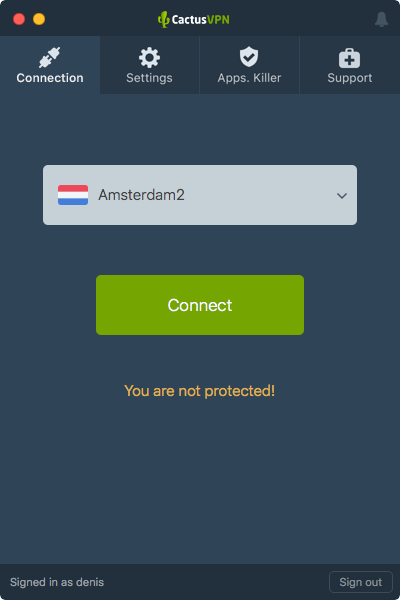
VPN and Smart DNS solve different problems
CactusVPN combines a conventional VPN with Smart DNS in the same subscription. That distinction matters on televisions and other devices where installing a VPN application may be difficult. Smart DNS changes how selected requests are resolved or routed; it should not be treated as a substitute for an encrypted VPN tunnel.
For privacy on public Wi-Fi, use the VPN connection. For a particular television setup, first establish whether you need encryption, location routing, or both. A service that works for one purpose does not automatically satisfy the other. Streaming compatibility remains something to check for your own device and subscription.
Native apps alongside manual configurations
Windows, macOS, Android and iOS have provider applications. Linux compatibility is documented through WireGuard, but that does not establish a comparable graphical Linux client. The protocol matrix also distinguishes native support from what can be configured manually: OpenVPN is listed inside Windows and Android apps, while WireGuard spans the main desktop and mobile applications.
This affects ongoing maintenance as well as installation. A manual connection requires you to manage imported settings and reconnect behaviour in the selected client. Before migrating a household, identify which devices use a native application and which will depend on a router or separately configured connection.
Useful controls with clear platform boundaries
Internet kill switches are documented for Windows and macOS, and the iOS tutorial exposes a corresponding setting. Android application routing is documented separately, with choices for including or excluding selected apps. These are platform-specific capabilities: a general feature list should not imply identical controls on every operating system.
CactusVPN explicitly does not offer dedicated IP addresses or port forwarding. Its static addresses are shared with other customers. That makes the product a different fit from a service bought primarily for an IP allowlist or an incoming connection workflow. Compatible routers offer another deployment route, but require appropriate firmware and configuration.
Recurring rate protection rather than a lifetime purchase
The canonical subscription page lists monthly, annual and two-year billing. All include VPN and Smart DNS, so choosing a longer term changes the payment commitment rather than unlocking a separate premium feature tier. Unlimited simultaneous devices also avoids a fixed numerical allowance for a household with several computers and phones.
The published rate protection applies while a subscription remains active and in good standing. It is a recurring-price promise, not a one-time lifetime subscription. Compare the initial charge, billing interval and continuation conditions together. Separate promotional landing pages can show different offers, which should not be silently combined with the canonical plan.
Who should put CactusVPN on the shortlist?
CactusVPN is worth considering when one subscription needs to cover numerous devices and Smart DNS is relevant alongside VPN applications. A mixed household should still map the actual connection method for each device before committing. Router compatibility can help with devices that cannot run the provider app directly.
It is less suited to buyers whose essential requirement is a dedicated address or port forwarding, because the provider explicitly excludes those features. This review describes documented capabilities rather than measured speeds or streaming results. Practical testing should focus on reconnect protection, the required locations and how native and manual connections behave on your own network.
Plans, first payment and renewal
Introductory offers and renewals are different billing periods. Compare the actual charge and included months, not only an advertised monthly equivalent.
| Plan | First payment | Monthly equivalent | Renewal |
|---|---|---|---|
| CactusVPN — monthly | USD 15.00First 1 months | USD 15.00Introductory equivalent | USD 15.00Every 1 months |
| CactusVPN — annual | USD 70.00First 12 months | USD 5.83Introductory equivalent | USD 70.00Every 12 months |
| CactusVPN — 2 years | USD 95.00First 24 months | USD 3.96Introductory equivalent | USD 95.00Every 24 months |
USD15/1month,70/12months and95/24months, with the same recurring amount while the subscription stays active and in good standing. Rate lock is not a lifetime one-time plan. Separate promotional landing-page prices are not mixed into these canonical offers.
Features and platform support
Support can differ between apps and operating systems. Platform coverage and limitations are shown below.
- Windows
Native app listed.
- macOS
Native app listed.
- Linux
Linux WireGuard compatibility documented; manual configuration rather than a verified native Linux app.
- iOS
Native app listed.
- Android
Native app listed.
- WireGuard / WireGuard-based protocol
WireGuard native Windows/macOS/iOS/Android; Linux compatibility through manual configuration.
Verified platforms: Windows, macOS, Linux, iOS, Android.- OpenVPN
Native Windows/Android OpenVPN; iOS manual OpenVPN guide. Other platform-specific OpenVPN setups not established in this record.
Verified platforms: Windows, Android, iOS.- Kill switch
Internet kill switch documented for Windows/macOS; iOS tutorial also exposes this setting. Linux coverage not established.
Verified platforms: Windows, macOS, iOS.- Router support
Manual compatible router setup including Asus/DD-WRT OpenVPN and OpenWrt WireGuard; firmware-dependent.
- Split tunneling
Include/exclude selected applications on Android, Android TV and Fire TV; desktop scope not verified.
Verified platforms: Android.- Dedicated IP available
Provider explicitly supplies shared static IPs, not dedicated or residential IPs; port forwarding unavailable.
Questions about CactusVPN
How many devices can connect simultaneously?
Unlimited simultaneous devices explicitly included.
Is the introductory monthly equivalent the renewal price?
No. It divides the exact first payment by its initial service period. Renewal is shown separately with its own charge and period; an unknown renewal is never inferred from the introductory offer.
Does a supported platform include every feature?
No. Protocols, split tunneling and kill switches can have different platform support. Use the feature descriptions above to check the app you intend to use.
Does CactusVPN include unlimited simultaneous devices?
Yes. The published subscription includes unlimited simultaneous devices, with VPN and Smart DNS in the same plan.
Does CactusVPN offer a dedicated IP address?
No. The provider documents shared static IP addresses and does not offer port forwarding.
Before you choose
Regional offers, taxes and purchase channels can change the amount billed. Paid add-ons are identified separately, and unavailable pricing remains marked as not verified.
We have not conducted hands-on speed, streaming or app tests for this review. No numerical ratings or test badges are assigned.