
![7 Best VPN for DOTA 2 [year]: Fast Servers for Gaming](https://vpntrends.org/wp-content/uploads/2025/02/Best_VPN_for_DOTA_2.jpg)

Dota 2 is extremely sensitive to routing quality. Most players think “VPN = slower,” but for competitive games the real issue is often path stability (jitter + packet loss), not raw bandwidth. If your ISP route to a Valve relay or game server is messy—especially at peak hours—a VPN can sometimes improve consistency by giving you a cleaner exit path. The catch: a VPN must be used correctly. “Just connect to any server” usually makes things worse.
A VPN can help Dota 2 players for three reasons. First, it can reduce exposure to certain types of attacks by hiding your home IP (useful in high-drama lobbies or when you stream). Second, it can improve consistency if it replaces a bad ISP route with a better one. Third, it can help when you travel and want stable access to your normal region and voice/chat services. However, a VPN does not guarantee lower ping, and in many cases it will add latency if you pick the wrong server.
Important: A VPN is not a “rank booster,” and it won’t magically fix Wi-Fi, bufferbloat, or a congested home connection. The correct goal is reducing variance (jitter/packet loss spikes) and improving route predictability. Always comply with Steam/Valve policies and local laws.
What makes Dota 2 different (and why it changes your VPN plan)
On most sites, “best VPN” lists focus on privacy and streaming. For Dota 2, that approach is incomplete. The limiting factor is not encryption—it’s network behavior under load:
- Jitter: small latency swings cause missed last hits, delayed spell casts, and “rubberband” movement.
- Packet loss: even 0.5–1% can feel like stutter or desync in fights.
- Bad peering/routing: ISPs sometimes take inefficient paths to your nearest Valve relay.
- Peak-hour congestion: evenings/weekends often introduce route instability.
In practice, you have three viable approaches:
- Route optimization VPN: use a nearby VPN exit that improves the path to your Dota region.
- DDoS/privacy shielding: hide your home IP when you stream or play in hostile lobbies.
- Travel + “home-region” consistency: keep predictable region access and stable network behavior while traveling.
This guide is structured around those three approaches. Instead of starting with a “top VPN list,” we first decide which architecture is correct for your setup. Only after that do provider choices matter.
Quick picks (best for)
- Best overall for Dota 2 routing stability: ExpressVPN
- Best all-rounder (servers + consistency): NordVPN
- Best value + many devices: Surfshark
- Best for advanced tuning: Private Internet Access (PIA)
- Best for beginners (simple UI): CyberGhost
- Best privacy-first posture: ProtonVPN
- Best for restrictive networks / resilience testing: VyprVPN
Start with the decision: what problem are you solving in Dota 2?
Use this as a practical decision map. Pick the first condition that matches your reality.
If you have jitter spikes or packet loss at peak hours
Choose: Route optimization (nearby VPN exit).
Why: you’re trying to replace a bad ISP path with a more stable one.
If you stream or you’re worried about DDoS/targeting
Choose: VPN for IP shielding (always-on during matches/streams).
Why: the VPN masks your home IP and reduces certain attack exposure.
If you travel (hotel Wi-Fi, coworking, mobile tethering)
Choose: Travel + “home-region” consistency strategy.
Why: you want a predictable connection profile and fast fallbacks when networks are unstable.
Most Dota 2 players who benefit from a VPN are in the first group: the VPN is acting as a route shortcut, not a privacy tool.
How we evaluate VPNs for Dota 2 (methodology)
We focus on criteria that actually affect matches:
- Route stability: low jitter under load, stable long sessions.
- Nearby server coverage: enough exits near major Dota regions for quick testing.
- Protocol support: modern protocols can reduce overhead and improve consistency.
- Kill switch behavior: if the tunnel drops mid-game, you want predictable behavior (depends on your goal).
- Leak/DNS handling: DNS leak protection reduces “mixed routing” surprises.
- App reliability: fast reconnect, no random disconnect loops.
- Provider transparency: clear policies and technical documentation.
Performance reality: what your VPN must handle for ranked matches
For Dota 2, your target isn’t “maximum speed”—it’s minimum variance.
Practical rules:
- Ping: lower is good, but stable is better than “low then spiky.”
- Jitter: you want the smallest possible swings during fights.
- Packet loss: even small loss can feel like input delay.
- VPN overhead: encryption adds overhead; choose nearby exits and modern protocols.
Where problems usually originate:
- ISP peering: your ISP’s chosen path to Valve relays may be inefficient.
- Local Wi-Fi: interference and bufferbloat cause spikes that no VPN can fix.
- Distance to VPN exit: far exits add latency and often worsen jitter.
Setup Path A: Route optimization (the “good VPN use case” for Dota 2)
This is the setup for jitter/packet loss issues caused by routing.
Step 1: Establish a baseline (no VPN)
Play 2–3 matches or do a quick test session at the time you normally play (peak hours matter). Note:
- average ping,
- how often you see spikes,
- whether fights feel “sticky” or delayed.
Step 2: Pick a VPN server close to you (not close to the game region)
Counterintuitive but important: start with an exit near your physical location. Your goal is to change the upstream route with minimal extra distance.
Step 3: Test two “nearby” exits + one “alternate” exit
Keep it systematic:
- Exit A: closest city
- Exit B: second-closest city
- Exit C: different upstream path (often a different metro)
If one is consistently smoother during peak hours, that’s your keeper.
Step 4: Lock your region and avoid random switching
For competitive play, stability beats experimentation. Once you find a stable route, stop bouncing servers every match.
Setup Path B: IP shielding for Dota 2 (streaming / harassment risk)
If you stream or you’ve had “targeted” issues, the simplest approach is:
- enable VPN before launching Dota 2,
- use a nearby VPN exit for minimal latency,
- enable kill switch if you want to prevent accidental exposure when the tunnel drops.
Note: if kill switch triggers mid-match, you’ll disconnect. That may be preferable to exposing your IP, but it’s a tradeoff. Choose based on your risk tolerance.
Setup Path C: Travel & “home-region” strategy
When you’re on hotel Wi-Fi or tethering, your connection is unstable by default. The VPN goal is predictability.
Best practices:
- sign into the captive portal first, then enable VPN,
- use a nearby exit for low overhead,
- keep 2–3 fallback servers ready,
- avoid “far exits” unless you have a specific region requirement.
Common Dota 2 VPN problems (and how to fix them)
Problem: My ping is higher with VPN
- Switch to a nearer VPN exit.
- Try a different protocol in the VPN app (if available).
- Avoid “region-hopping” exits that add distance.
Problem: I still get spikes
- Test a second nearby exit (congestion varies).
- Use Ethernet instead of Wi-Fi (biggest stability gain).
- Check for bufferbloat (uploads/downloads in the background).
Problem: VPN disconnects mid-match
- Switch servers (avoid overloaded endpoints).
- Try a more stable protocol option.
- Disable battery/power optimizations on mobile if tethering.
Problem: Voice/chat or Steam services behave weirdly
- Use a closer exit and avoid frequent switching.
- Restart Steam/Dota after changing server.
- Enable leak protection to avoid mixed DNS paths.
VPN recommendations for Dota 2 in 2026
The providers below are selected based on routing stability, nearby server coverage, protocol options, and practical reliability for long sessions. Results depend heavily on your ISP route and the server you choose, so testing 2–3 exits is part of the process.
1. ExpressVPN

ExpressVPN is commonly chosen as a Dota 2 “daily driver” because it tends to deliver predictable sessions and clean routing when you use nearby exits. For competitive play, that “connect and stay connected” behavior matters: fewer reconnect loops and fewer surprises mid-match.
If your goal is route optimization, start by testing two nearby exits and keep the one that minimizes jitter during peak hours. ExpressVPN is often evaluated strongly in that workflow.
2. NordVPN

NordVPN is a strong all-round option when you want broad server coverage for testing. For Dota 2, having multiple nearby endpoints makes it easier to find a route that behaves well during peak congestion.
NordVPN promotes a no-logs policy (as stated by the provider). In practical gaming terms, you’re choosing NordVPN for flexibility and consistent performance across multiple devices.
3. Surfshark

Surfshark is known for value and generous multi-device usage—useful if you game on PC but also travel with a laptop and phone. For Dota 2, the practical play is the same: pick a nearby exit and aim for stability, not “far region” hops.
Surfshark is often evaluated as a strong value option for players who want one subscription across devices without overthinking the setup.
4. Private Internet Access (PIA)

PIA is popular with advanced users who want configuration control. For Dota 2, that can matter if you’re serious about repeatable testing and want to fine-tune the setup instead of relying on “auto.”
PIA includes DNS leak protection and typically provides enough server choice to find stable nearby exits. If you like to tune and test, PIA is commonly considered.
5. CyberGhost

CyberGhost is often chosen by users who want a simple interface and clear setup guidance. If your priority is “easy protection + quick server switching” without deep tuning, CyberGhost tends to be evaluated in that category.
For Dota 2, keep it simple: nearby exits, consistent server choice, and stable sessions.
6. ProtonVPN

ProtonVPN is often chosen by users who prioritize privacy posture and strong security fundamentals. For Dota 2, ProtonVPN is typically considered when you want consistent protection across public networks and travel setups, while still maintaining good stability with nearby exits.
7. VyprVPN
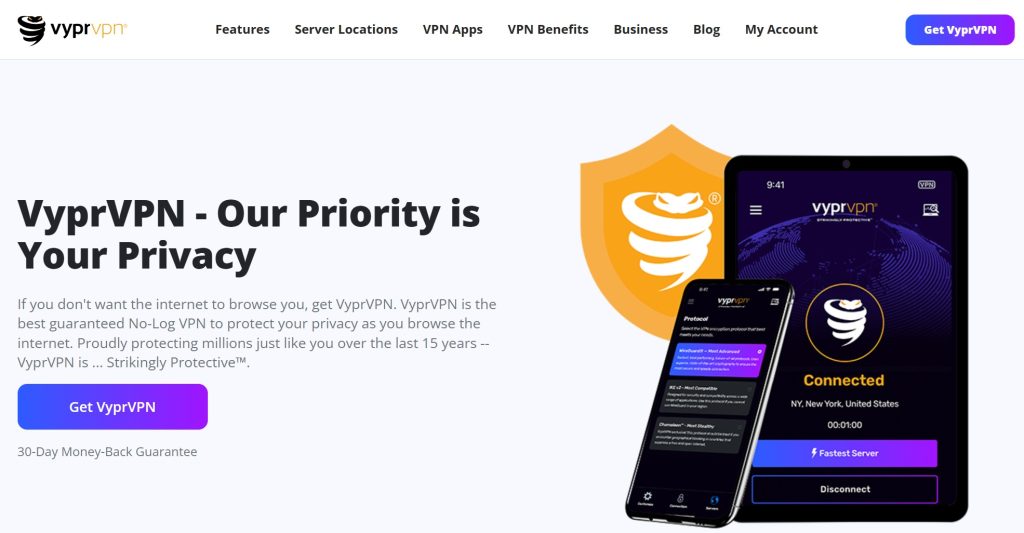
VyprVPN is often tested on restrictive or difficult networks where connections get blocked or unstable. If you play from networks that interfere with VPNs (some workplaces, campuses, hotels), VyprVPN can be useful to test as a resilience option.
How to choose the best VPN for Dota 2 (a practical checklist)
- Pick your goal first: route optimization, IP shielding, or travel stability.
- Start with nearby exits: close VPN servers usually beat far ones for ping and jitter.
- Test systematically: two nearby exits + one alternate path, then keep the best.
- Prioritize stability: jitter and packet loss matter more than peak speed.
- Enable leak protection: DNS leak protection helps avoid mixed routing.
- Decide on kill switch behavior: great for IP shielding, but it can disconnect you mid-match.
Tip: If you’re on Wi-Fi and you get spikes, try Ethernet first. A VPN can’t fix local interference or bufferbloat. If Ethernet is stable but your route still spikes at peak hours, that’s where a VPN can sometimes help.
FAQ
1. Will a VPN reduce ping in Dota 2?
Sometimes, but not always. A VPN can improve routing stability if your ISP route is inefficient. If you pick a far VPN server, ping usually gets worse.
2. What’s the best server choice for Dota 2?
Start with a VPN server close to your physical location. Then test a second nearby exit and one alternate path. Keep the one that reduces jitter during the hours you actually play.
3. Does a VPN protect me from DDoS in Dota 2?
It can reduce exposure by hiding your home IP behind the VPN server. It’s not a perfect shield against all issues, but it’s a meaningful layer for streamers and targeted harassment scenarios.
4. Should I use a kill switch while playing ranked?
If your main goal is IP shielding (streaming/harassment risk), a kill switch is helpful but may disconnect you if the tunnel drops. If your main goal is route optimization and you prefer not to risk mid-match disconnects, you may choose different behavior based on your tolerance.
5. Is using a VPN allowed for Dota 2?
VPNs are widely used for privacy and security. Always comply with Steam/Valve policies and local laws, and avoid using VPNs for prohibited behavior.
![7 Best VPN for Krunker [year]: Fast Servers for Gaming](https://vpntrends.org/wp-content/uploads/2025/02/Best_VPN_for_Krunker-150x150.jpg "Using a VPN for Krunker")
![7 Best VPN for GTA 5 Online [year]: Fast Servers for Gaming](https://vpntrends.org/wp-content/uploads/2025/02/Best_VPN_for_GTA_5_Online-150x150.jpg "Using a VPN for GTA Online")
![7 Best VPN for Overwatch 2 [year]: Fast Servers for Gameplay](https://vpntrends.org/wp-content/uploads/2025/02/Best_VPN_for_Overwatch_2-150x150.jpg "Using a VPN for Overwatch 2")
![7 Best VPN for Alaska [year]: Fast Servers for Alaska IP](https://vpntrends.org/wp-content/uploads/2025/02/Best_VPN_for_Alaska-150x150.jpg "Using a VPN in Alaska")

![7 Best VPN for Bumble [year]: Secure Connection for Dating](https://vpntrends.org/wp-content/uploads/2025/02/Best_VPN_for_Bumble-96x96.jpg)
